Alerts
Alerts highlight policy-relevant events across every PolicyClue module: policy hits, DLP detections, phishing reports, download blocks, and more.
Open Alerts to review recent items, filter, add comments, and mark items as acknowledged. Alerts feed the module dashboards, the Webhooks integration, and the Alert Exceptions noise-reduction layer.
Platform filter
Every dashboard has a platform filter dropdown next to the date picker. Select one or more platforms to narrow the results:
- Browser Extension — alerts from the Chrome/Edge browser extension.
- Outlook Add-in — alerts from the Outlook email add-in.
- Microsoft Teams — alerts from the server-side Teams monitor.
By default all platforms are selected. Deselecting a platform updates every widget on the current page immediately.
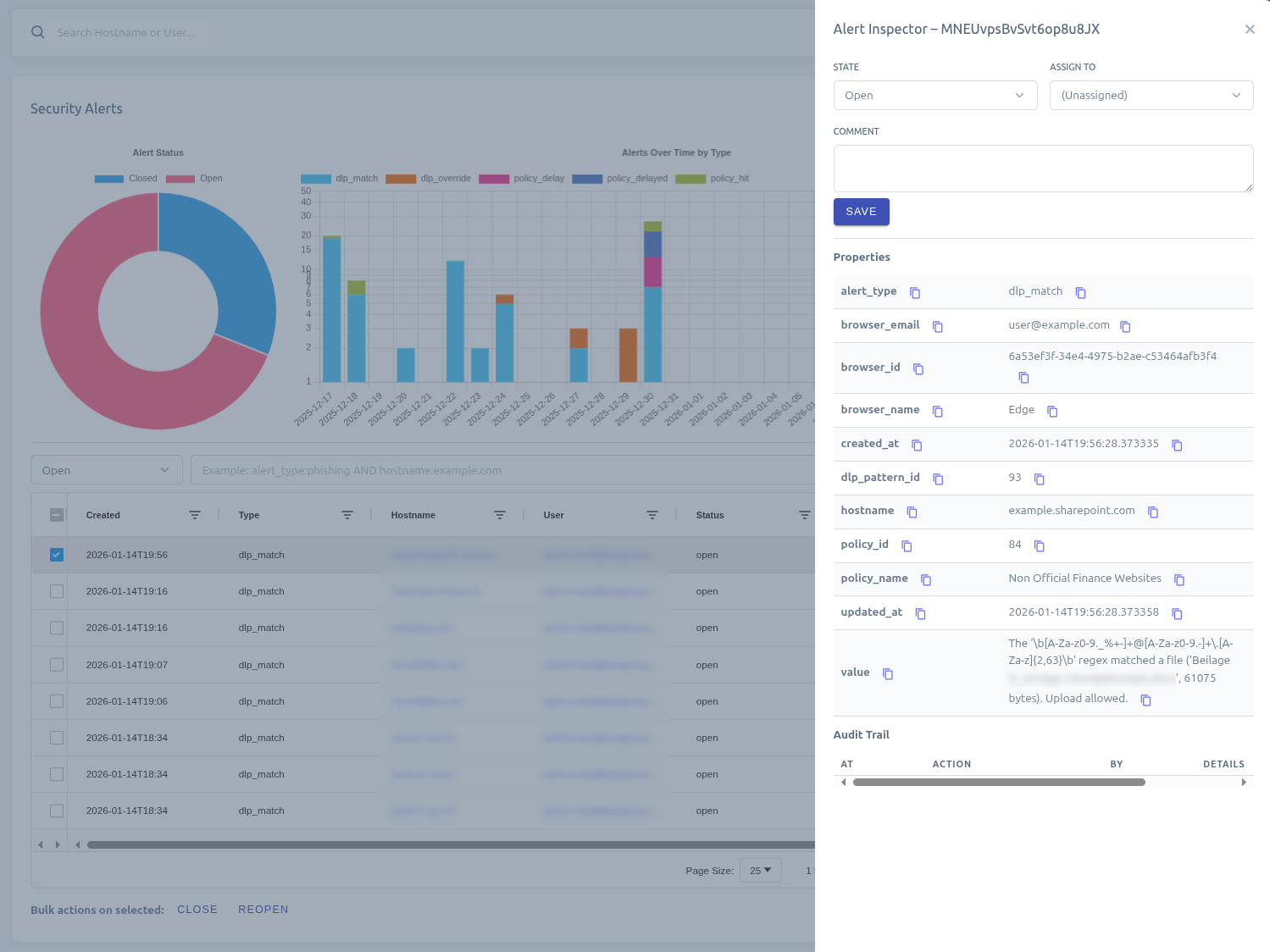
Alert types
PolicyClue generates the following alert types. Which ones you see depends on the modules your tenant has subscribed to.
| Alert type | Description | Module |
|---|---|---|
policy_hit |
Policy was hit (e.g. block policy access, post-training access). | Awareness |
policy_delayed |
Policy was delayed by the user and will show again later. | Awareness |
dlp_match |
Text input matched a DLP pattern. | DLP |
dlp_file_match |
File upload matched a DLP pattern. | DLP |
dlp_override |
User overrode a DLP warning with a justification reason. | DLP |
dlp_block_appeal |
User submitted an appeal on a blocked DLP detection. | DLP |
security_vulnerability_detected |
New browser vulnerability found. | Security |
security_phishing_indicated |
Potential spoofing / phishing site detected. | Security |
security_phishing_blocked |
User was blocked from a phishing site. | Security |
security_phishing_warning_dismissed |
User dismissed phishing warning and proceeded. | Security |
security_download_warned |
Download warning shown to the user. | Security |
security_download_blocked |
Download blocked by a download filter. | Security |
security_download_warning_dismissed |
User dismissed a download warning and proceeded. | Security |
security_attachment_warned |
Attachment matched a download filter and the user was warned (Outlook). | Security |
security_attachment_blocked |
Attachment matched a download filter and the send was blocked (Outlook). | Security |
security_browser_download_danger |
The browser (Safe Browsing / SmartScreen) flagged a download. | Security |
security_browser_cert_error |
The browser reported a certificate or TLS error. | Security |
security_sandbox_submission |
Admin uploaded a file for sandbox analysis. | Security |
phishing_reported |
User reported an email as phishing via the Outlook add-in. | Phishing |
governance_input_pii_detected |
Classifier flagged a recorded prompt as containing PII. | Governance |
File downloads and uploads are tracked on the Download Guard dashboard under Security. Recorded user input is available on the GenAI Prompt Logs dashboard under Governance.
Comments
Alerts support a comment thread where administrators can add notes, observations, or follow-up actions.
- Multiple comments per alert — any number of admins can contribute to the discussion.
- Author and timestamp — each comment records who wrote it and when.
- Immutable — comments cannot be edited or deleted once saved, preserving an accurate investigation record.
- Audit trail — adding a comment is recorded in the Audit Log.
Attachments
Alerts can carry file attachments (e.g. a reported .eml email). Attachments are viewable and downloadable from the alert inspector. If sandbox integration is configured, attachments are automatically submitted for analysis and assigned a risk score.
Noise reduction: Alert Exceptions
When repeated false-positives clutter the dashboard, use Alert Exceptions to silence or downgrade specific patterns per tenant.